



You can activate your course by following below steps:
- Log in to your virtual office
- Click on qLearn banner on the bottom right side
- Click on “Activate”
OR
- Click on “Digital Product”
- Click on the drop down menu next to qLearn
- Click on “Activate”
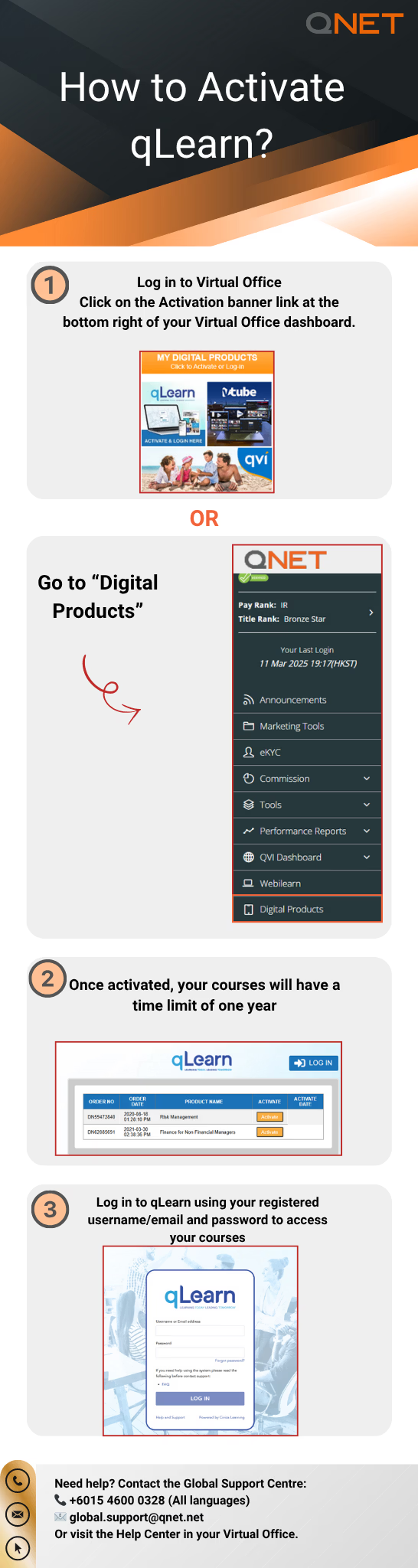
Please note: Once your course is activated, you will have one year to complete.
If you made a purchase as a retail customer, please log in to your Virtual Office using retail customer IDs.