


DIY CARE & MAINTENANCE
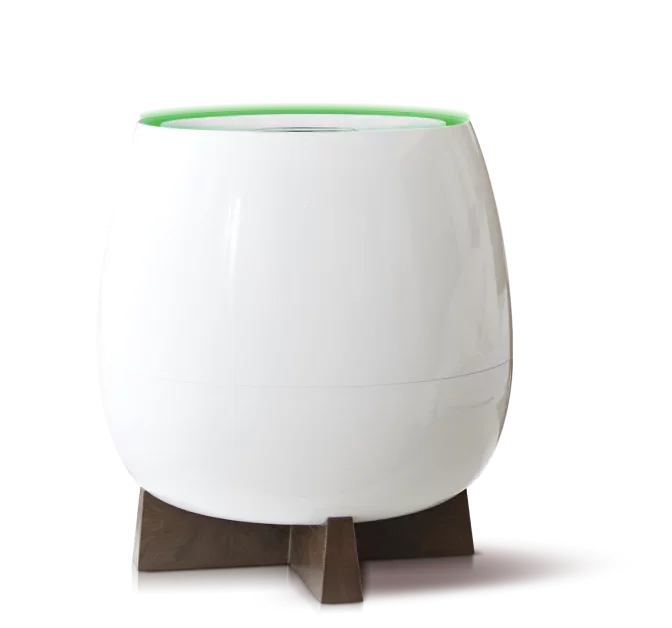
HOMEPURE ZAYN
CARE GUIDE
Maintain fresh, healthy indoor air with HomePure Zayn by following these four key care steps.
MAINTENANCE
Your Regular HomePure Zayn Check-Up Guide
The HomePure Zayn is built to protect your indoor air from allergens, pollutants, and VOCs, but even the best systems need occasional care. A little maintenance keeps it performing at its best so your home stays fresh, clean, and comfortable.
Regularly Changing the HPP+ Filter Cartridge
This is HomePure Zayn’s heart and soul! The HPP+ Filter is a powerhouse, trapping microscopic particles, allergens, and even viruses. When six months have passed and/or the LED light blinks red, it’s time for a swap. You’ll need a cloth or a vacuum, and a bag to dispose of the old filter.
- Switch off and unplug your HomePure Zayn.
- Lift the top section and remove the used HPP+ Filter.
- Gently clean dust from the compartment with a cloth or a low-power vacuum.
- Insert the new filter with the white mesh facing down.
- Reattach the top housing until it sits evenly on the base.
- Turn Zayn back on, select AUTO, then hold AUTO for three seconds to reset the filter light.
Changing a Damaged Prefilter
This is Zayn’s first line of defence, catching larger particles like dust and pet hair. Over time, it can get clogged, so give it a gentle vacuum or wipe with a cloth every few months. In case it gets damaged, you can replace it in a few easy steps.
- Turn off and unplug Zayn, then remove the top and HPP+ Filter.
- Flip the base upside down to access the prefilter.
- Press the hooks to release and remove the old prefilter.
- Align the new prefilter and lock it in place with the hooks.
- Reassemble the unit and check that airflow is smooth.
Changing a Damaged Top Panel
Replace the top panel if the controls stop responding or the surface becomes damaged.
- Switch off and unplug the unit.
- Locate the four hooks around the top panel.
- Use a flat-head screwdriver to gently lift each hook.
- Remove the old panel and align the new one.
- Press down until all hooks click into place.
- Power on Zayn and test the controls.
Cleaning the Dust Sensor
If the air quality indicator stays red even in a clean room, the dust sensor may need cleaning.
- Turn off and unplug Zayn.
- Use a paper clip to open the dust sensor cover.
- Clean the sensor gently with a dry cotton swab—avoid liquids.
- Close the cover until it clicks back into place.
- Turn Zayn back on and allow a few minutes for the reading to update.
When Should You Replace These Parts?
Look for these common signs.

Blinking red filter light
A blinking red filter LED means your HPP+ Filter cartridge is due for replacement. Change it and reset the timer.

Always red air quality indicator
If the air quality light stays red even after ventilation, clean the dust sensor and check your environment.

Time-based upkeep
Replace the HPP+ Filter every 6 months, inspect the pre-filter monthly, and clean the dust sensor whenever the reading seems off.
SUPPORT
Need Help with Your Zayn?
If any step feels unclear or you notice unusual behaviour, QNET Global Support Centre can guide you.
FAQ
Frequently Asked Questions
Do I need tools for Zayn maintenance?
Most steps to perform DIY maintenance are tool-free. You only need a flat-head screwdriver for the top panel and a paper clip plus a cotton swab for the dust sensor.
How often should I replace the HPP+ Filter?
At least every six months, or whenever the filter LED blinks red, whichever happens first.
Can I wash the HPP+ Filter?
No. The HPP+ Filter cartridge cannot be washed clean and doing so may damage your HomePure Zayn unit. It should always be replaced with a new cartridge issued by HomePure through QNET.
What if the air indicator stays red after cleaning?
Make sure the room is properly ventilated and the dust sensor was cleaned gently and thoroughly. If the issue persists, contact QNET Global Support Centre for assistance.