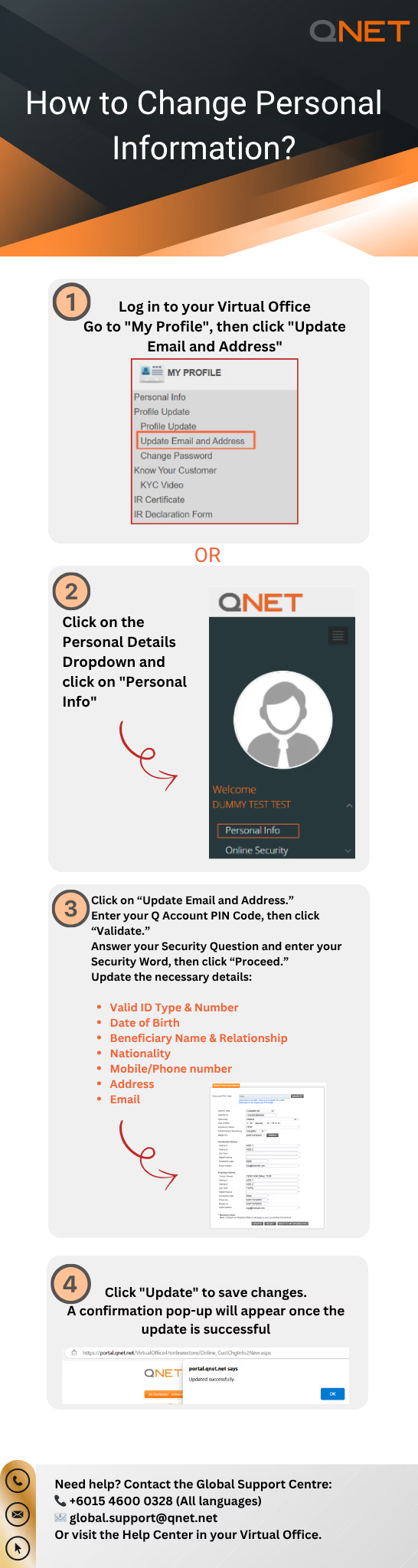



To update your email address and other information:
- Login to your Virtual Office
- Scroll down and click “My Profile” or click on “”Personal Info”” dropdown button
- Choose “Update email and address”
- Insert your Q Account pin code and Security Question and Word
- Enter your updated personal information in the new section, then click “Update.”